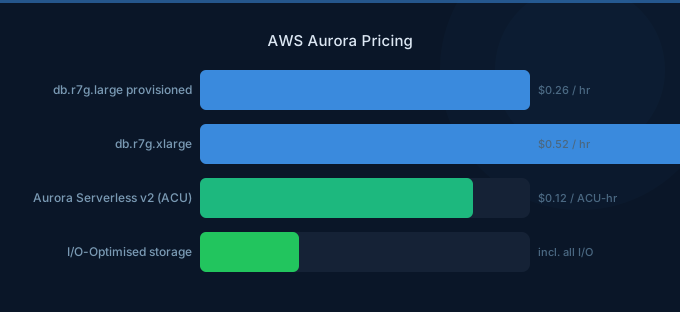
Aurora pricing is more complex than standard RDS because you're paying for a distributed storage system, not just a database instance. The compute is separate from storage, I/O charges can dominate your bill, and choosing between Provisioned, Serverless v2, and I/O-Optimized modes changes the cost structure entirely.
The biggest Aurora pricing mistake: running Provisioned Standard with high I/O workloads when I/O-Optimized would save 30-40%.
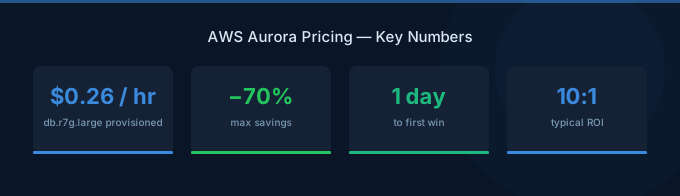
TL;DR: Aurora Provisioned db.r7g.large costs ~$190/month for compute alone. Storage is $0.10/GB/month. Standard I/O charges $0.20 per million requests — which adds up fast for read-heavy workloads. I/O-Optimized eliminates per-I/O charges for a 30% compute premium. Serverless v2 at $0.12/ACU-hour is ideal for variable workloads. Pick your mode based on workload pattern, not defaults.
Aurora Pricing Modes Compared
Provisioned Instance Pricing
Compute Costs (MySQL and PostgreSQL Compatible)
| Instance | vCPU | RAM | On-Demand/hr | Monthly |
|---|---|---|---|---|
| db.r7g.large | 2 | 16 GiB | $0.26 | $189.80 |
| db.r7g.xlarge | 4 | 32 GiB | $0.52 | $379.60 |
| db.r7g.2xlarge | 8 | 64 GiB | $1.04 | $759.20 |
| db.r7g.4xlarge | 16 | 128 GiB | $2.08 | $1,518.40 |
Graviton (r7g) instances are 20% cheaper than Intel (r7i) equivalents with comparable performance. Always use Graviton for Aurora unless you have specific x86 requirements.
Storage Costs
| Component | Standard | I/O-Optimized |
|---|---|---|
| Storage | $0.10/GB/month | $0.225/GB/month |
| I/O reads | $0.20/million | Free |
| I/O writes | $0.20/million | Free |
| Backtrack | $0.012/million change records | $0.012/million |
I/O Costs: The Hidden Bill Killer
Standard Aurora charges $0.20 per million I/O operations. This sounds tiny until you calculate real-world volumes:
| Workload | Monthly I/Os | I/O Cost | % of Compute |
|---|---|---|---|
| Light (blog, CMS) | 100M | $20 | ~10% |
| Medium (SaaS app) | 1B | $200 | ~50% |
| Heavy (analytics, reporting) | 5B | $1,000 | ~130% |
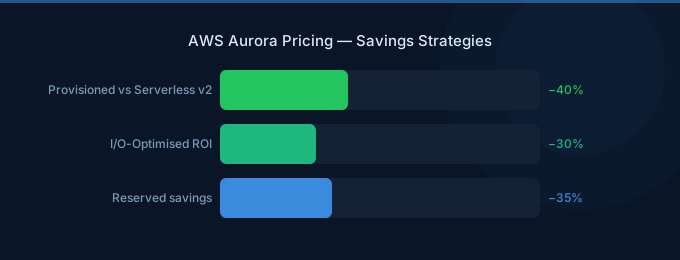
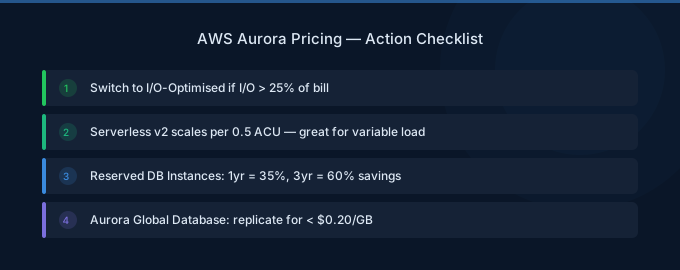
If your I/O costs exceed 25% of your compute costs, switch to I/O-Optimized. You pay 30% more for compute and 125% more for storage, but I/O becomes free — saving 30-40% overall for read-heavy workloads.
Serverless v2 Pricing
Aurora Serverless v2 scales compute automatically based on demand, charging per ACU-hour:
| Component | Price |
|---|---|
| Compute | $0.12/ACU-hour |
| Storage | $0.10/GB/month |
| I/O | $0.20/million (Standard) |
| Minimum capacity | 0.5 ACU |
| Maximum capacity | 256 ACU |
1 ACU ≈ 2 GiB RAM. The minimum 0.5 ACU costs $0.06/hour ($43.80/month) — cheaper than any provisioned instance when the database is idle or lightly loaded.
When Serverless v2 Saves Money
| Scenario | Provisioned (db.r7g.large) | Serverless v2 |
|---|---|---|
| Always busy (100% utilization) | $190/month | $263/month (4 ACU avg) |
| Business hours only (35% active) | $190/month | $135/month |
| Dev/test (10% active) | $190/month | $57/month |
| Weekend batch (15% active) | $190/month | $83/month |
Rule of thumb: If your database utilization is under 40%, Serverless v2 is cheaper. Above 60%, provisioned is cheaper. Between 40-60%, it depends on your I/O patterns.
Real-World Cost Examples
SaaS Application (Steady Production)
| Component | Specification | Monthly Cost |
|---|---|---|
| Writer | db.r7g.xlarge | $379.60 |
| Reader replica | db.r7g.large | $189.80 |
| Storage (200GB) | I/O-Optimized | $45.00 |
| I/O | Free (I/O-Optimized) | $0.00 |
| Backups | 7-day retention | ~$10.00 |
| Total | $624.40 |
With Standard I/O at 2B reads/month: $400 in I/O alone. I/O-Optimized saves ~$300/month here.
Dev/Test Database
| Component | Specification | Monthly Cost |
|---|---|---|
| Serverless v2 | 0.5-4 ACU, avg 1 ACU | $87.60 |
| Storage (50GB) | Standard | $5.00 |
| I/O | 50M requests | $10.00 |
| Total | $102.60 |
vs Provisioned db.r7g.large: $200+/month. Serverless saves 50% for dev workloads.
Optimization Strategies
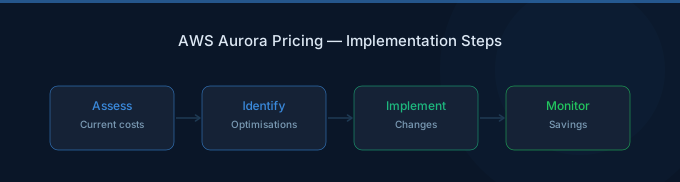
1. Choose the Right Pricing Mode
- Standard: I/O costs under 25% of compute → stay on Standard
- I/O-Optimized: I/O costs over 25% of compute → switch to I/O-Optimized
- Serverless v2: Utilization under 40% → use Serverless
Check your current I/O costs in Cost Explorer under "Aurora I/O" to determine your mode.
2. Use Graviton Instances
All Aurora instance families have Graviton equivalents (r7g). 20% cheaper with equivalent performance. Migration is a modify operation during maintenance window.
3. Right-Size Reader Replicas
Reader replicas don't need to match the writer size. If reads are lighter, use smaller instances. A db.r7g.large reader behind a db.r7g.2xlarge writer is perfectly fine.
4. Reserved Instances for Production
Aurora Reserved Instances save 30-60% on compute for databases that run 24/7. 1-year No Upfront saves ~35%.
5. Monitor and Archive Old Data
Aurora storage grows continuously — it doesn't automatically shrink. Archive old data to S3 to reduce storage costs and I/O volume.
Related Guides
- AWS RDS Pricing Guide
- AWS DynamoDB Pricing Guide
- AWS RDS Cost Optimization Guide
- AWS Savings Plans vs Reserved Instances
Frequently Asked Questions
How much does Aurora cost per month?
A small production Aurora cluster (writer + reader, 200GB storage) costs $600-800/month depending on the pricing mode. Dev/test on Serverless v2 can be as low as $50-100/month.
Is Aurora more expensive than standard RDS?
Aurora compute costs about 20% more than equivalent RDS instances, but Aurora's distributed storage provides built-in replication and faster failover. For production workloads requiring high availability, Aurora's total cost is often comparable to RDS Multi-AZ.
Should I use Aurora Standard or I/O-Optimized?
Check your AWS bill: if Aurora I/O charges exceed 25% of your compute charges, switch to I/O-Optimized. You can switch between modes with no downtime.
When should I use Aurora Serverless v2?
Use Serverless v2 for databases with variable utilization: dev/test environments, applications with business-hours-only traffic, weekend batch processing, or any workload where provisioned capacity sits idle more than 40% of the time.
Right-Size Your Aurora Deployment
Aurora is powerful but expensive when misconfigured. The key decisions:
- Pick the right mode — Standard for low I/O, I/O-Optimized for heavy reads, Serverless for variable loads
- Use Graviton — 20% cheaper, zero migration complexity
- Size readers independently — They don't need to match the writer
- Reserve production instances — 30-60% savings on 24/7 databases