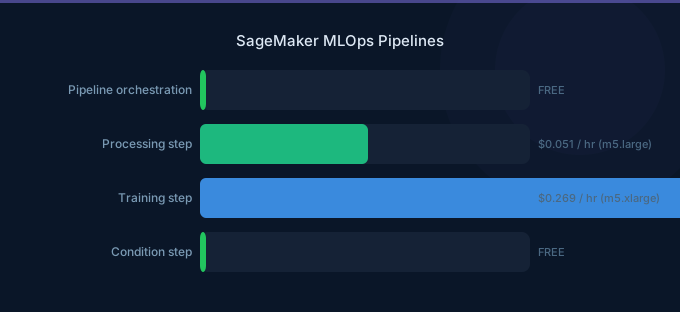
SageMaker Pipelines is AWS's native ML workflow orchestrator. The good news: there is no charge for pipeline orchestration itself. You pay only for the underlying compute resources — training instances, processing jobs, and transform jobs — that each pipeline step consumes. The hidden costs come from Model Monitor, Model Registry, and the supporting infrastructure that a production MLOps pipeline requires.
Understanding the full pricing picture means looking beyond Pipelines to the entire MLOps stack: data processing, training, evaluation, registration, deployment, and monitoring.
TL;DR: SageMaker Pipelines has no orchestration fee — you pay for underlying compute only. Model Registry is free. Model Monitor costs $0.078/hr per monitored endpoint. A typical MLOps pipeline (daily retraining, 3 production models) costs $200-800/month in compute. Pipeline caching can cut retraining costs by 30-50% by skipping unchanged steps.
Pipeline Step Types and Costs
Each step in a SageMaker Pipeline runs as a managed job. The pipeline itself is free — costs come from what each step executes.
| Step Type | What It Does | Pricing |
|---|---|---|
| Processing | Data prep, evaluation, feature engineering | Per-second instance billing |
| Training | Model training | Per-second instance billing (Spot available) |
| Transform | Batch inference on datasets | Per-second instance billing |
| RegisterModel | Add model to Model Registry | Free |
| Condition | Branch logic (if/else) | Free |
| Lambda | Run AWS Lambda functions | Standard Lambda pricing |
| Callback | Wait for external process | Free (wait time not billed) |
| QualityCheck | Data/model quality validation | Processing instance billing |
| ClarifyCheck | Bias and explainability checks | Processing instance billing |
| Fail | Mark pipeline as failed | Free |
Typical Pipeline Cost Breakdown
A standard ML pipeline with daily execution:
| Step | Instance | Duration | Daily Cost | Monthly Cost |
|---|---|---|---|---|
| Data Processing | ml.m5.xlarge | 30 min | $0.12 | $3.60 |
| Training | ml.g5.xlarge (Spot) | 2 hrs | $0.61 | $18.30 |
| Evaluation | ml.m5.large | 15 min | $0.03 | $0.90 |
| Batch Transform | ml.g5.xlarge | 30 min | $0.50 | $15.00 |
| Model Registration | — | Instant | $0.00 | $0.00 |
| Total | $1.26 | $37.80 |
Model Registry
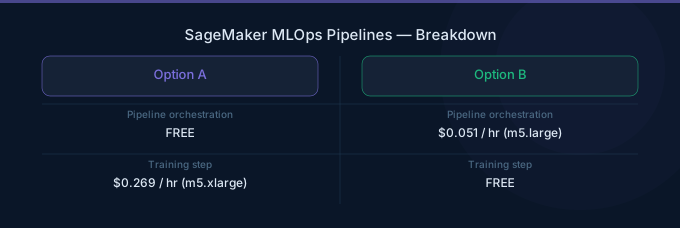
SageMaker Model Registry stores model versions, tracks approval status, and manages model metadata. It is completely free — no charge for storing model versions, model groups, or metadata.
| Feature | Cost |
|---|---|
| Model version storage | Free |
| Model groups | Free |
| Approval workflow | Free |
| Model metadata/tags | Free |
| Model artifact storage | Standard S3 pricing |
The only cost associated with Model Registry is S3 storage for the actual model artifacts. A typical model artifact is 100 MB-5 GB, costing $0.002-$0.12/month in S3 Standard.
Model Monitor
Model Monitor detects data drift, model quality degradation, bias drift, and feature attribution drift. It runs as a scheduled processing job on your inference endpoints.
| Monitor Type | Price | Frequency |
|---|---|---|
| Data Quality | $0.078/hr per endpoint | Hourly (configurable) |
| Model Quality | $0.078/hr per endpoint | Hourly (configurable) |
| Bias Drift | $0.078/hr per endpoint | Hourly (configurable) |
| Feature Attribution | $0.078/hr per endpoint | Hourly (configurable) |
Monthly monitoring costs per endpoint:
| Configuration | Monitors | Monthly Cost |
|---|---|---|
| Basic (data quality only, hourly) | 1 | $57 |
| Standard (data + model quality, hourly) | 2 | $114 |
| Comprehensive (all 4 monitors, hourly) | 4 | $228 |
| Basic (data quality only, daily) | 1 | $2.40 |
| Standard (data + model quality, daily) | 2 | $4.80 |
Cost optimization: Run monitors daily instead of hourly unless you need near-real-time drift detection. Daily monitoring costs 96% less than hourly monitoring.
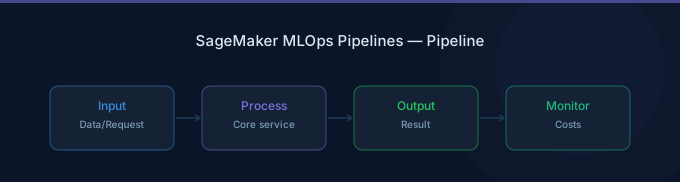
SageMaker Pipelines vs Alternatives
Pipelines vs Step Functions
| Feature | SageMaker Pipelines | AWS Step Functions |
|---|---|---|
| Orchestration cost | Free | $0.025 per 1,000 state transitions |
| ML-native steps | Yes (Training, Processing, etc.) | Requires custom integration |
| Pipeline caching | Yes | No (must build custom) |
| Model Registry | Integrated | Manual integration |
| Visual editor | Yes (Studio) | Yes (Workflow Studio) |
| Non-ML tasks | Limited | Full AWS service integration |
| Max execution time | Unlimited | 1 year (Standard), 5 min (Express) |
Verdict: Use SageMaker Pipelines for pure ML workflows. Use Step Functions when your workflow mixes ML with non-ML tasks (data ingestion from APIs, notification workflows, human approval gates across services).
Pipelines vs Airflow (MWAA)
| Feature | SageMaker Pipelines | Amazon MWAA (Airflow) |
|---|---|---|
| Orchestration cost | Free | $0.49/hr (smallest environment) |
| Monthly base cost | $0 | $357/month minimum |
| ML integration | Native | Requires SageMaker operators |
| DAG complexity | ML-focused steps only | Arbitrary Python DAGs |
| Scheduling | Built-in (EventBridge) | Built-in (cron) |
| Team familiarity | SageMaker SDK | Airflow ecosystem |
Verdict: SageMaker Pipelines saves $357+/month on orchestration costs alone vs MWAA. Choose Airflow only if your team already uses it extensively or if your ML workflows require complex non-ML orchestration that Pipelines cannot express.
Cost Comparison for a Typical MLOps Setup
| Component | Pipelines | Step Functions | MWAA |
|---|---|---|---|
| Orchestration (30 daily runs) | $0 | $23/month | $357/month |
| Compute (same workload) | $500 | $500 | $500 |
| Monitoring infra | Included | CloudWatch extra | CloudWatch extra |
| Total | $500 | $523 | $857 |
Pipeline Caching
Pipeline caching is the most impactful cost optimization feature. When enabled, SageMaker skips steps whose inputs have not changed since the last successful run.
How it works:
- Each step generates a cache key based on its inputs (data, code, parameters)
- If the cache key matches a previous successful execution, the step is skipped
- Output from the cached run is reused
Cost impact:
| Scenario | Without Caching | With Caching | Savings |
|---|---|---|---|
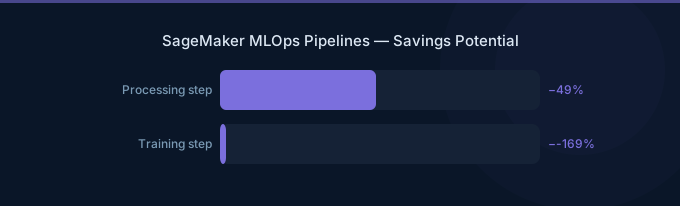
| Daily retrain, data unchanged 50% of days | $37.80/month | $22.70/month | 40% |
| Weekly retrain, only preprocessing changes | $9.45/month | $5.10/month | 46% |
| Hourly pipeline, data rarely changes | $907/month | $300/month | 67% |
Enable caching with a single parameter: cache_config=CacheConfig(enable_caching=True, expire_after="30d").
Cost Optimization Tips
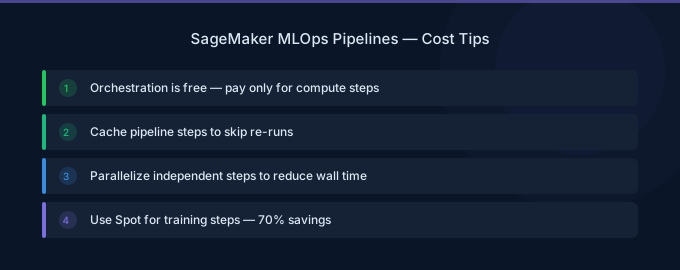
- Enable pipeline caching on every step. Caching skips unchanged steps automatically, saving 30-67% on repeated pipeline runs with stable inputs.
- Use Managed Spot Training in pipeline training steps. Spot instances reduce training costs by 60-70%. Set
use_spot_instances=Truein your Estimator configuration within the pipeline. - Run Model Monitor daily, not hourly. Unless you need near-real-time drift alerts, daily monitoring reduces monitoring costs by 96% — from $57/month to $2.40/month per endpoint per monitor type.
- Right-size processing step instances. Data processing and evaluation steps often run on oversized instances. Profile your processing jobs and choose the smallest instance that completes within your time window.
- Use Lambda steps for lightweight operations. Model registration, notifications, metadata updates, and conditional logic can run as Lambda functions (free for light usage) instead of spinning up processing instances.
- Schedule pipelines during off-peak hours. If your pipeline uses Spot Training, running during off-peak hours (nights, weekends) increases Spot availability and reduces interruptions.
Related Guides
- AWS SageMaker Pricing: Training, Inference, Studio
- AWS SageMaker Training Guide
- AWS Step Functions Pricing Guide
- AWS SageMaker Cost Optimization: Cut ML Costs
FAQ
Does SageMaker Pipelines cost extra?
No. SageMaker Pipelines has no orchestration fee. You pay only for the compute resources each pipeline step uses — training instances, processing instances, and transform instances. Model Registry is also free. The only additional cost specific to the MLOps stack is Model Monitor at $0.078/hr per monitored endpoint.
How does pipeline caching save money?
Pipeline caching stores the outputs of each step keyed by its inputs. When you re-run a pipeline and a step's inputs have not changed, SageMaker skips the step entirely and reuses the cached output. This avoids rerunning expensive training or processing jobs when only downstream steps need updating.
Should I use SageMaker Pipelines or Step Functions for MLOps?
Use SageMaker Pipelines if your workflow is primarily ML-focused: data processing, training, evaluation, registration, and deployment. It has no orchestration cost and native integration with SageMaker services. Use Step Functions if your workflow mixes ML with significant non-ML tasks (multi-service orchestration, human approval workflows, complex branching logic across AWS services).